Printing your logo on your inflatable structure
Four-colour digital printing or screen printingContents
The main printing processes
Offset printing
The term comes from the English "to set off", which in this context can be translated as "to transfer":
The document is reproduced on a substrate (originally an engraved metal plate) where each area to be inked is defined. A cylinder covered in rubber, called a "blanket", is then passed over this plate and serves to transfer the ink onto the final substrate. This process is easily industrialised and automated, but requires an enormous machine investment, which is why it is only used for high-volume print runs.
Screen printing
This printing technique uses stencils (originally silk screens) placed between the ink and the substrate to be printed.
One stencil is used per colour, which allows printing with an infinite number of colours, offering far greater creative possibilities than any other process. In screen printing, the amount of ink deposited is also greater than with other processes, which increases the durability of the branding on the substrate.
Digital printing
We all know those inkjet or laser printers that sit in our homes or offices.
Well, it is this same technology that is used in large-format digital printing.
Indeed, in digital printing, computer data is transmitted from the computer to the printing machine: printing is done directly onto the final substrate, and the ink is no longer transferred onto a stencil or another roller before printing the product.
Digital printing has revolutionised the printing industry, and for a quality now equivalent to offset, it allows you to skip the various preparatory stages of traditional offset printing and go directly from computer to print. Although printing speeds are currently slower than offset, digital printing also offers the possibility of "on-demand printing".
Printing of PUBEO SAS & R1-AGENCY products
Except in very specific cases, our POS displays are printed using four-colour digital printing.
For flags, when it comes to large-volume orders and if the logo is compatible, we print using screen printing.
Comparison: Vector vs Raster enlargement
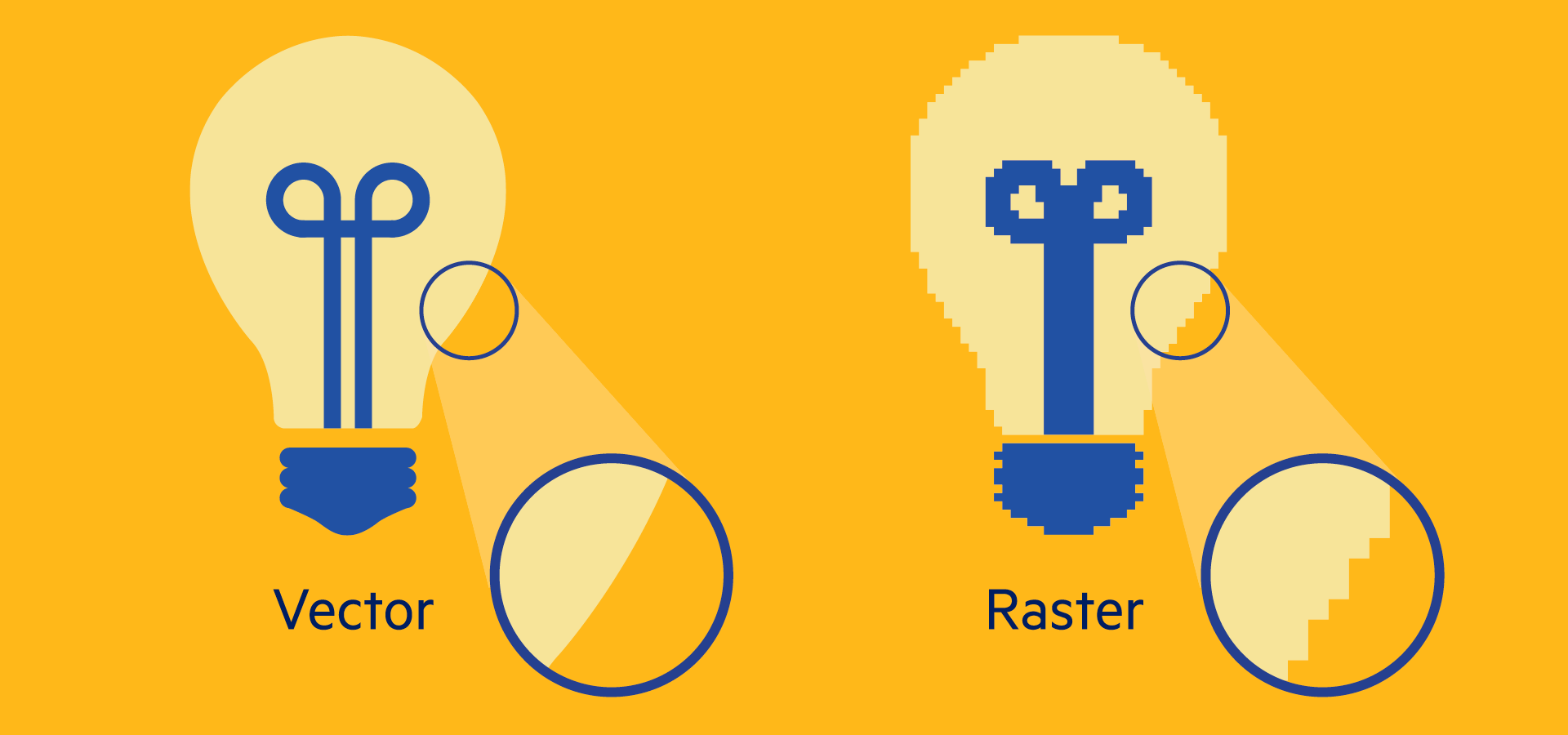
Explanation of vector and raster files
For your POS display to be perfectly printed, we will ask you to provide your logos in "vector" format, or in formats that can be vectorised. We accept files with the following extensions:
- .AI (Adobe Illustrator)
- .EPS (Encapsulated PostScript)
- .SVG (Scalable Vector Graphics)
- .PDF HD (High-Definition Portable Data File)
There are 2 main families of graphic files: raster files and vector files.
To simplify, raster files are files made up of a multitude of small points, each with a defined colour (the well-known pixels), while vector files are graphic files composed of mathematical formulae.
"Raster" files therefore cannot be enlarged, as pixels have a fixed size and become distorted when enlarged. Unlike raster files, vector files are composed of mathematical variables that scale proportionally without altering the quality of the visual.
This is why, in advertising, we always use vector files.
To learn more, here is a very comprehensive article on the different graphic file formats.